Social Media
Instagram highlight design
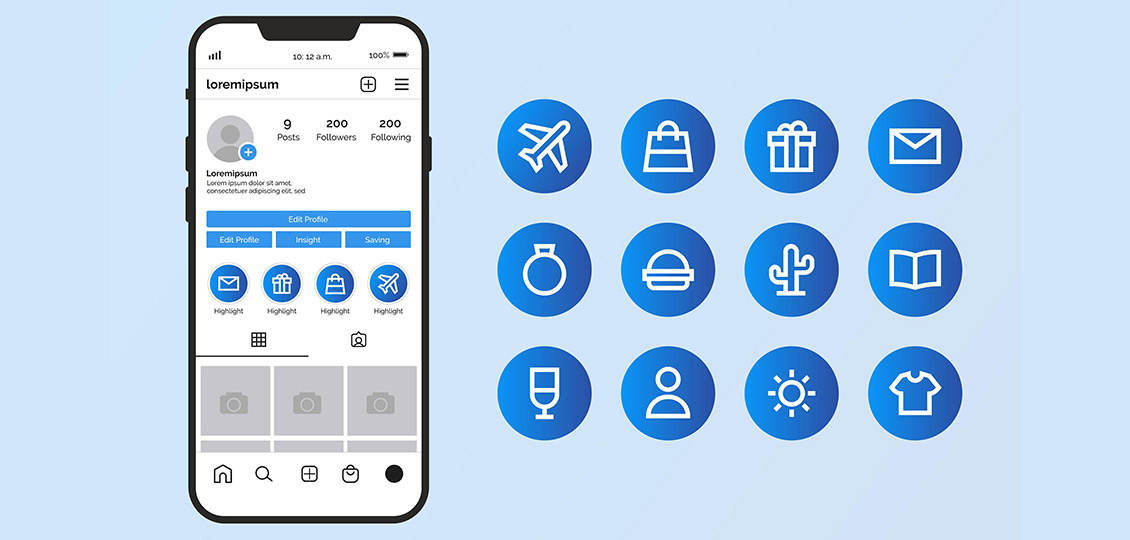
Designing Instagram Highlights effectively can enhance your profile’s professionalism, storytelling, and user engagement. Here are the key points to consider:
- Strategic Categorization
- Group by Theme:Â Organize highlights into clear categories.
- Prioritize Key Content:Â Place high-value highlights first.
- Audience-Centric:Â Tailor to what followers care about.
- Cover Design Consistency
- Visual Harmony:Â Use cohesive colors, fonts, or icons that match your brand.
- Icon Style:Â Choose between:
- Minimalist Icons.
- Text-Based.
- Branded Graphics.
- Size: 1080×1920 pixels (Story size) with key elements centered.
- Content Quality & Organization
- Curate Thoughtfully:Â Only include evergreen or high-impact Stories (avoid outdated/irrelevant clips).
- Logical Flow:Â Order Stories within each highlight intentionally.
- Mix Media:Â Combine videos, images, and GIFs for variety.
- Clear Navigation
- Descriptive Titles:Â Keep names short and actionable.
- Highlight Order:Â Rotate seasonal highlights to the front.
- Engagement Features
- Interactive Stickers:Â Use polls, Q&A, or countdowns in Stories before adding to highlights.
- Swipe-Up Links:Â Direct traffic to URLs (for accounts with 10K+ followers or verified).
- Brand Alignment
- Color Palette:Â Align with your Instagram grid and logo.
- Typography:Â Use the same fonts as your posts for consistency.
- Voice/Tone:Â Match captions and stickers to your brand personality.
- Technical Optimization
- Trim Clutter:Â Edit Stories to remove filler content.
- High Resolution:Â Ensure images/videos are clear (no pixelation).
- Cover Preview:Â Test how covers look on your profile (avoid cropped text/icons).
- Maintenance & Updates
- Refresh Regularly:Â Archive old highlights (e.g., past events) or update covers seasonally.
- Analytics:Â Check Story insights to see which highlights perform best.